A dev environment I can throw away
Coding agents run commands. Some of those commands I never read before they run. I’m fine with that, as long as they run somewhere I can wipe and rebuild without losing anything I care about.
So my development happens inside a Linux machine that isn’t my laptop. On the work Mac it’s
a Parallels VM. On the Windows box at home it’s NixOS under WSL2. Both are NixOS, both are
built from the same config, and from a blank install ISO to a working machine with editor,
agents and my git identities is one make target. The config is public at
dev-env, and there’s a filled-in example of
the private half at dev-env-example.
This post walks through what’s in there and why.
If you haven’t used Nix: a NixOS machine is described by a file. nixos-rebuild switch
reads it and makes the machine match. Nothing is installed by hand, so nothing is forgotten
when the machine is rebuilt. A “flake” is that config packaged with a lock file, so every
input (nixpkgs, home-manager for the per-user files, and in my case the base repo) is
pinned to a commit.
Two repositories
The config is split into a public base and a private config that imports it. The base has
the modules: the user account, the two platforms, the editor, git, the agents. The private
config has what’s mine: username, SSH keys, git identities, which machines exist, and my
Neovim and herdr config. Here is the whole flake.nix of the example private repo:
{
  description = "My dev-env: private config on top of the shared base";

  inputs.dev-env.url = "github:TransitoryBliss/dev-env";

  outputs = { dev-env, ... }: {
    nixosConfigurations = {
      vm = dev-env.lib.mkHost {
        system = "aarch64-linux";
        modules = [ ./users/ada.nix ./hosts/vm.nix ];
      };
      wsl = dev-env.lib.mkHost {
        system = "x86_64-linux";
        modules = [ ./users/ada.nix ./hosts/wsl.nix ];
      };
    };
  };
}
That’s it. users/ada.nix says who Ada is. hosts/vm.nix says this one is a Parallels VM
with Go, Node and Playwright turned on. Improvements to the base arrive with
nix flake update dev-env, with nothing to merge.
I did this split for two reasons. The obvious one is that I want to share the base without
sharing my keys and my employer’s org name. The less obvious one is that it keeps me honest.
Anything that would be useful to someone else has to become a devEnv.* option with a
neutral default, and the base’s nix flake check evaluates two example machines from the
template on every change. If I break the template, I find out before I break my own machine.
Every repo has one place: ghq
ghq is a clone helper. ghq get owner/repo clones a
repo and puts it at ~/source/<host>/<owner>/<repo>, and it never asks where. That’s the
whole tool, and I’d miss it more than most things in this setup.
$ ghq root
/home/robert/source
$ ghq list
github.com/TransitoryBliss/dev-env
github.com/TransitoryBliss/dev-env-example
github.com/TransitoryBliss/stenbom.me
github.com/shipwallet/atlas
Before ghq I had ~/code, ~/src, ~/work/foo and a ~/tmp full of clones I forgot
about. Now the path tells me who owns the repo, and I never have to decide. go get has
laid out packages this way for years, so it isn’t a strange idea. The only setup is one line
of git config, ghq.root = ~/source, which the base sets.
To move between repos I have a small shell function, repo, that pipes ghq list into
fzf:
repo() {
  local dir
  dir=$(ghq list | fzf --query="$*" --select-1) && cd "$(ghq root)/$dir"
}
repo atlas jumps straight there if only one repo matches, and opens the picker otherwise.
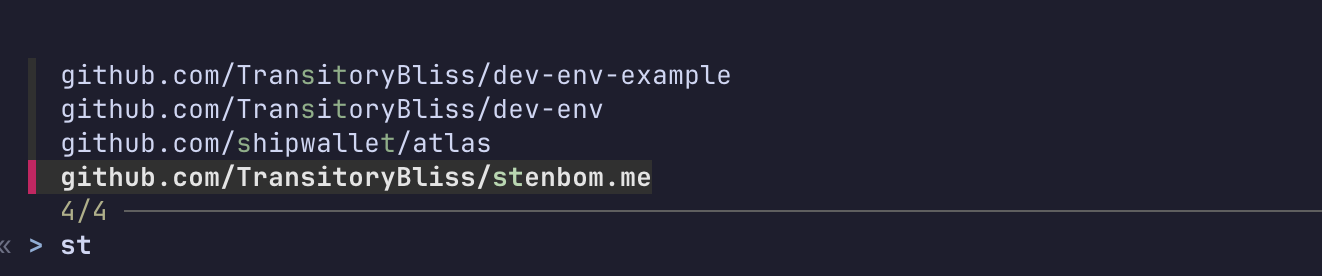
The layout also does a second job that I didn’t plan for, which is the next section.
Who I am in each repo
I have two GitHub accounts, a personal one and a work one, and each has its own SSH key.
The rule I wanted was simple: in any repo owned by my employer, commit as the work identity
and push with the work key. Everywhere else, use the personal one. And it has to work with
git clone, ghq get, go get and whatever an agent decides to run, not only with a
command I remember to use.
In the example config that rule is this:
home.devEnv.git = {
  default = {
    account = "ada-example";
    name = "Ada Example";
    email = "12345+ada-example@users.noreply.github.com";
  };
  overrides."github.com/acme-corp" = {
    account = "ada-acme";
    name = "Ada Example";
    email = "ada@acme-corp.example";
  };
};
The key part is choosing the key, and the trick is to do it by URL. The base rewrites
every way of writing an acme-corp URL to an SSH host alias that carries the work key.
This is the generated ~/.gitconfig from my machine, with names swapped:
[url "git@github.com-ada-acme:acme-corp/"]
	insteadOf = "https://github.com/acme-corp/"
	insteadOf = "git@github.com:acme-corp/"
	insteadOf = "ssh://git@github.com/acme-corp/"
and the matching ~/.ssh/config:
Host github.com
  IdentitiesOnly yes
  IdentityFile /home/ada/.ssh/id_ed25519_ada-example

Host github.com-ada-acme
  HostName github.com
  IdentitiesOnly yes
  IdentityFile /home/ada/.ssh/id_ed25519_ada-acme
Git rewrites the URL before it talks to SSH, so any tool that ends up calling git gets the
right key. Even an https:// clone of a private work repo goes over SSH with the work key.
Name and email are picked with includeIf. One condition matches on the remote URL
(hasconfig:remote.*.url:https://github.com/acme-corp/**). The other matches on the path,
gitdir:~/source/github.com/acme-corp/, and that only works because ghq put the repo there.
The path rule covers a fresh git init inside a work directory before it has a remote at
all.
The more common approach is includeIf with core.sshCommand pointing at a key. I didn’t
go with it because git doesn’t document whether conditional includes apply during
git clone, and I didn’t want to debug that from inside an agent’s tool call. The URL
rewrite has no such gap.
Creating the keys is devenv-keys. It makes one ~/.ssh/id_ed25519_<account> per account
and prints each public key with the account it belongs to, since a key can only be
registered to one GitHub account.
The agents
The machine exists for the agents, so here is what runs in it.
pi is my main agent. Claude Code is installed too,
and pi’s Claude Code provider runs claude under the hood, so one login covers both and I
pay for one subscription. rtk sits in front of shell
commands and trims their output before it reaches the model. Test runs and git log are
where it pays off.
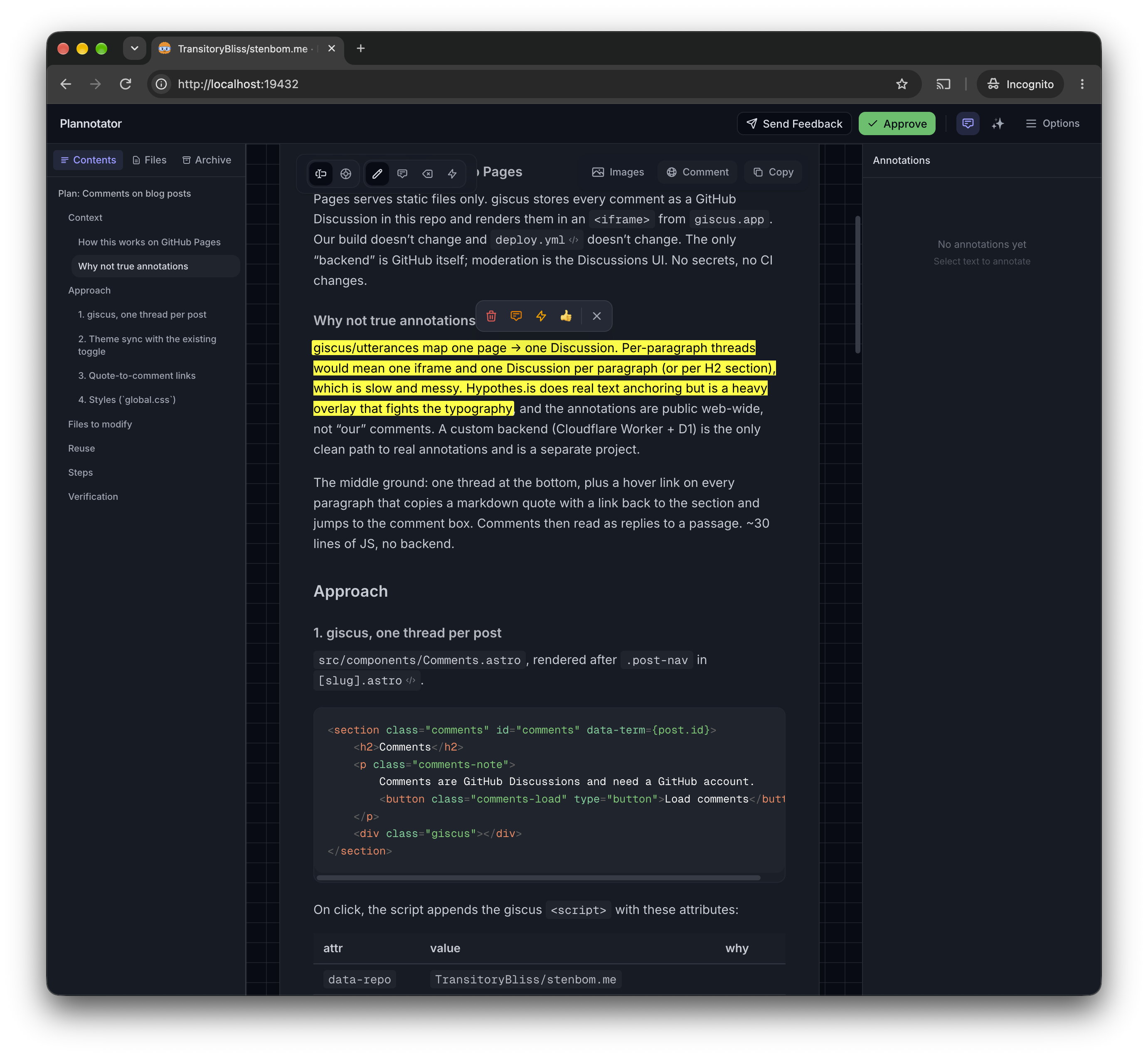
plannotator is how I review plans and diffs. An agent writes a
plan, plannotator opens it in the browser, and I annotate it before anything is edited.
There’s no browser in the VM, so it serves on a fixed port and make vm/ssh forwards it to
the Mac. On WSL, Windows already forwards localhost.
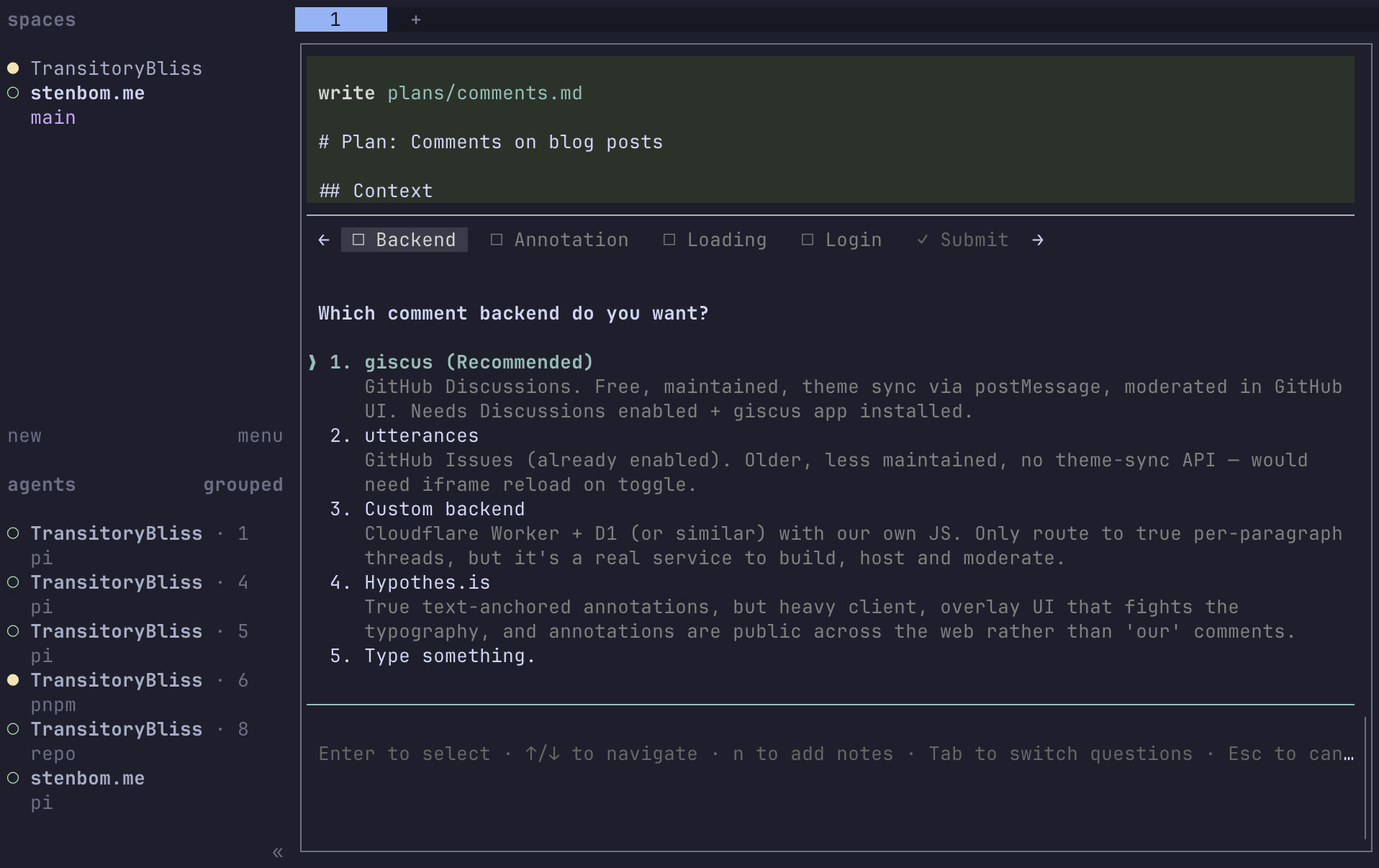
On top of pi there’s a handful of add-ons: pi-subagents for handing off bounded work, rpiv-ask-user-question so the agent asks me a structured question instead of guessing, pi-mcp-adapter for MCP servers, and pi-playwright for a browser. The Playwright browsers come from Nix, and the CLI is pinned to the release that wants exactly that Chromium. More on that below.
Not all of this is in Nix. pi install writes ~/.pi/agent/settings.json, and pi rewrites
that same file at runtime when you change the theme or model. Home-manager can’t own a file
another program edits. So the private repo has a make agents/setup that runs the
pi install and herdr plugin install commands, and I run it once after the first build.
It’s a compromise, and it’s the only imperative step.
herdr instead of tmux
Agents take minutes. I close the laptop, walk away, and want to come back to a finished run, not a dead SSH session. herdr is a terminal multiplexer built for that: a server that keeps the panes alive, with a sidebar that knows about agents and long-running commands.
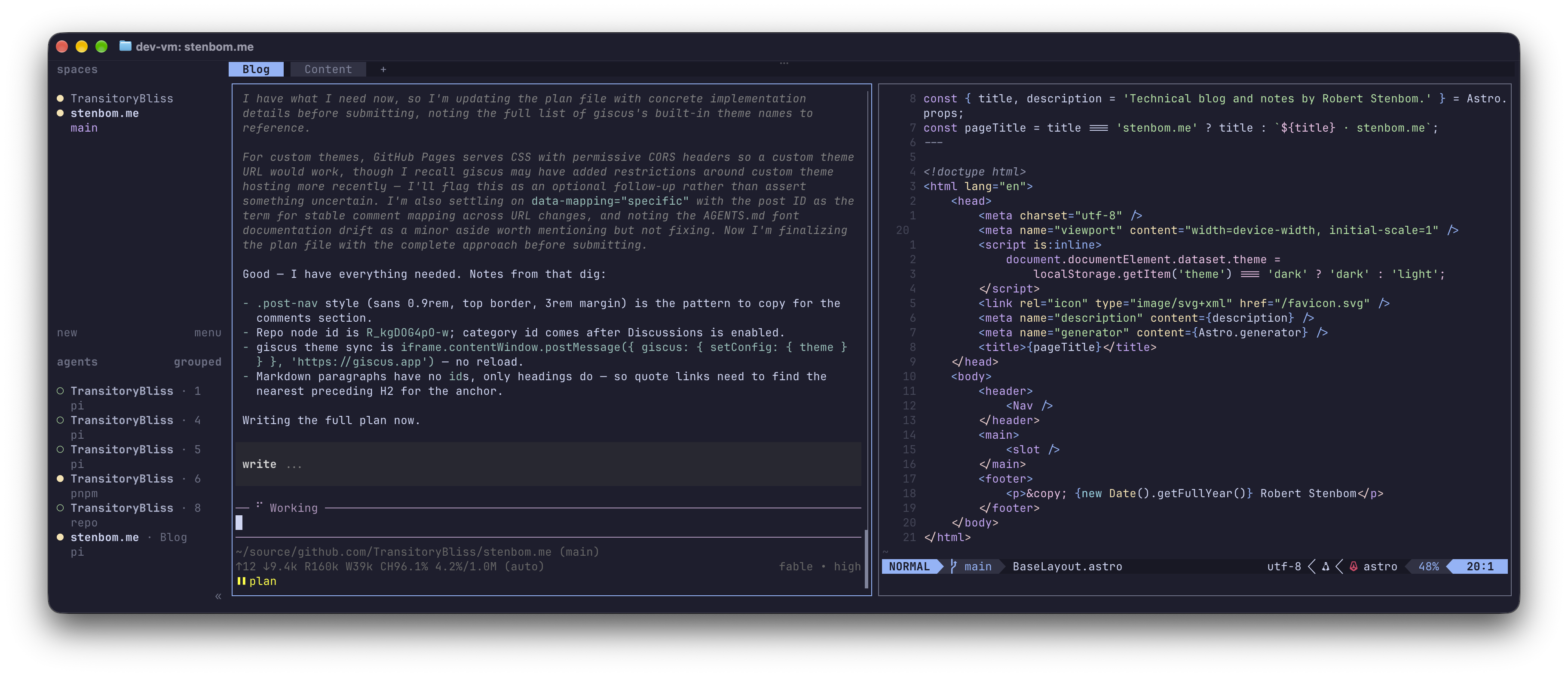
Two plugins make it feel like mine. herdr-ohmyzsh adds hsplit, htab and hagent as
shell commands, shows any command that took more than ten seconds in the sidebar with a
toast when it finishes, and reloads Oh My Zsh in every idle pane after a config change.
herdr-annotate captures a selection into plannotator. Over SSH from the Mac the selection
gets lost right now (herdr#3380), so I
trigger it from the host instead: ssh ada@vm herdr plugin action invoke annotate.capture.
I rarely annotate over SSH however, as I mostly use the browser.
Editor, shell, terminal
The editor is Neovim, and the one rule is: no Mason. Mason downloads prebuilt language
servers, and prebuilt binaries don’t run on NixOS without help. Instead each host says which
languages it has, devEnv.languages.go.enable = true, and Nix installs gopls, gofumpt,
golangci-lint and delve. The Neovim config checks executable() before enabling any
server, formatter or linter, so a host without Go skips them silently instead of erroring
on start. Formatting is conform.nvim, linting is nvim-lint.
The shell is zsh with Oh My Zsh, plus autosuggestions and syntax highlighting. Up and Down
search history by what’s already typed, so n then Up cycles through only the commands
that start with n.
One small thing I’m fond of: the terminal colours are part of the config. Programs only
emit colour numbers, and the terminal decides what 0 to 15 look like, which normally lives
in Windows Terminal’s settings.json or a macOS Terminal profile. Instead, an interactive
zsh writes the palette with OSC escape sequences on startup. devEnv.terminalPalette = "catppuccin-mocha" and the prompt, ls, fzf and Neovim all agree, on both machines. The
palette belongs to the terminal tab, so it stays after you exit the VM. printf '\e]104\e\\' puts the original back.
For markdown there’s md file.md, which runs go-grip on another forwarded port, with
GitHub styling and live reload. Same tunnel as plannotator.
Things that bit me
Prebuilt binaries were the first wall. NixOS doesn’t have /lib64/ld-linux-x86-64.so.2
where every Linux binary expects it, so herdr plugins, plannotator and npm packages with
native parts all died with “file not found” on a file that clearly existed. programs.nix-ld
provides those paths and it all runs unchanged. I turn it on and don’t turn it off.
plannotator is a Bun single-file executable, and Nix’s default of stripping and patching
ELF binaries corrupts it. dontStrip and dontPatchELF are the fix, and the package has a
comment saying so, because nothing about a corrupted Bun binary tells you that.
zsh went into vi mode without anyone asking. zsh picks the vi keymap when $EDITOR
contains vi, and mine is nvim. Oh My Zsh then forces emacs mode anyway, so the outcome
depended on load order. Now the config just says defaultKeymap = "emacs".
Oh My Zsh defines alias md='mkdir -p'. zsh expands aliases while parsing, so my md
function didn’t fail at runtime, it failed to be defined at all, and the alias won. Writing
it as function md doesn’t help either. unalias md first. I now check every new shell
function against $ZSH/lib/*.zsh.
Environment variables and herdr panes. home-manager’s home.sessionVariables land in a
script that returns early if it has already been sourced. A herdr server started before a
rebuild has the old environment, hands the “already sourced” flag to every new pane, and the
new variables never appear. Anything a herdr pane must see goes in .zshenv instead, which
zsh reads unconditionally. This one was hard to diagnose, because the symptom was
Playwright downloading 650 MB of Chromium it couldn’t run, which looked like a nix-ld
problem. It wasn’t.
Playwright and versioning… Nix provides the browsers. pi-playwright brings
Playwright itself from npm, and every release of @playwright/cli accepts exactly one
Chromium revision. So agents/setup holds the CLI at the release matching the Chromium in
the store, and warns when a nixpkgs bump moves them apart.
If you want to try it, nix flake init -t github:TransitoryBliss/dev-env gives you the
template, and the example repo shows what it looks like filled in.